The Brief
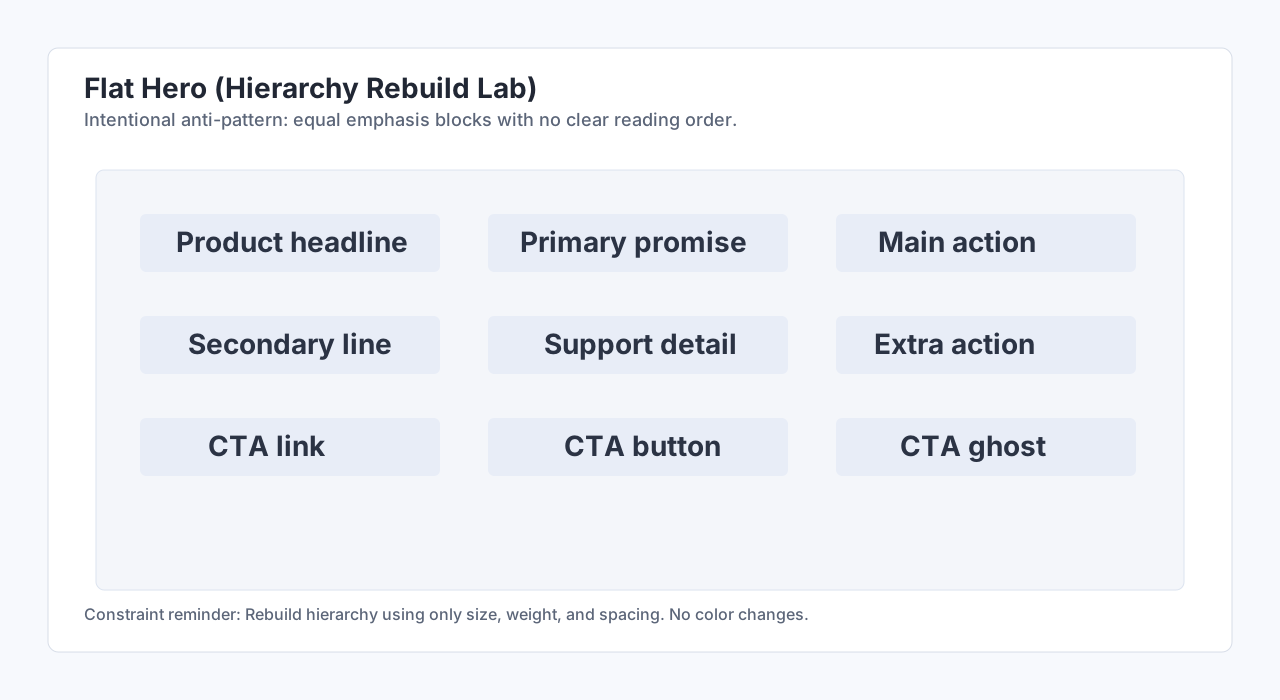
Use the provided flat hero layout and rebuild hierarchy using only size, weight, and spacing. Do not use color to solve priority in this exercise.
Provided Failed Project
Show Flat Hero Source
Begin with /lab-assets/failed-projects/hierarchy-rebuild-flat-hero.svg. Import this intentionally flat hero into Excalidraw, then rebuild hierarchy through size, weight, and spacing only.
Starter Prompts
Starter Prompts
Open excalidraw.com, import the provided flat hero source from this lab, and duplicate it as your working frame. Keep everything grayscale and make the headline clearly dominant using only size and weight, then place one CTA on the next scan step. Validate by hiding labels and checking if priority is still obvious.
Rubric
Lab Checklist (0/5)
Example Output
Show Example Output
Before/after grayscale hero where the after state has one dominant headline, one supporting line, and one clear CTA step.
Common Mistakes
Common Mistakes
- Adding color before fixing size and weight hierarchy.
- Keeping multiple equal-strength headings.
- Centering everything and losing scan direction.
Principles Practiced
hierarchycontrasttypography